WP Sheet Editor Premium: The Smarter Way to Manage Your WordPress Content at Scale
WP Sheet Editor Premium is the ultimate WordPress plugin for anyone who is tired of clicking through endless admin pages just to update a handful of posts, products, or users. If you have ever spent hours opening individual records, making repetitive changes, and navigating back and forth through WordPress dashboards, you already know how exhausting content management can be. This plugin was built specifically to eliminate that frustration and give you back the time, energy, and focus you deserve.
Whether you run a growing WooCommerce store, a content-heavy blog, a learning management system, or a portfolio website, WP Sheet Editor Premium transforms the way you interact with your WordPress data. Instead of clicking through dozens of admin screens, you get a clean, intuitive spreadsheet interface right inside your WordPress dashboard, where all your edits go live instantly, with zero importing or exporting required.
Why WP Sheet Editor Changes Everything About WordPress Management
Managing a WordPress website with hundreds or thousands of records is no small task. Most site owners and developers know the pain of having to open each post or product individually, make a small change, save it, and then repeat the entire process all over again. It is slow, error-prone, and frankly, it should not have to be this way.
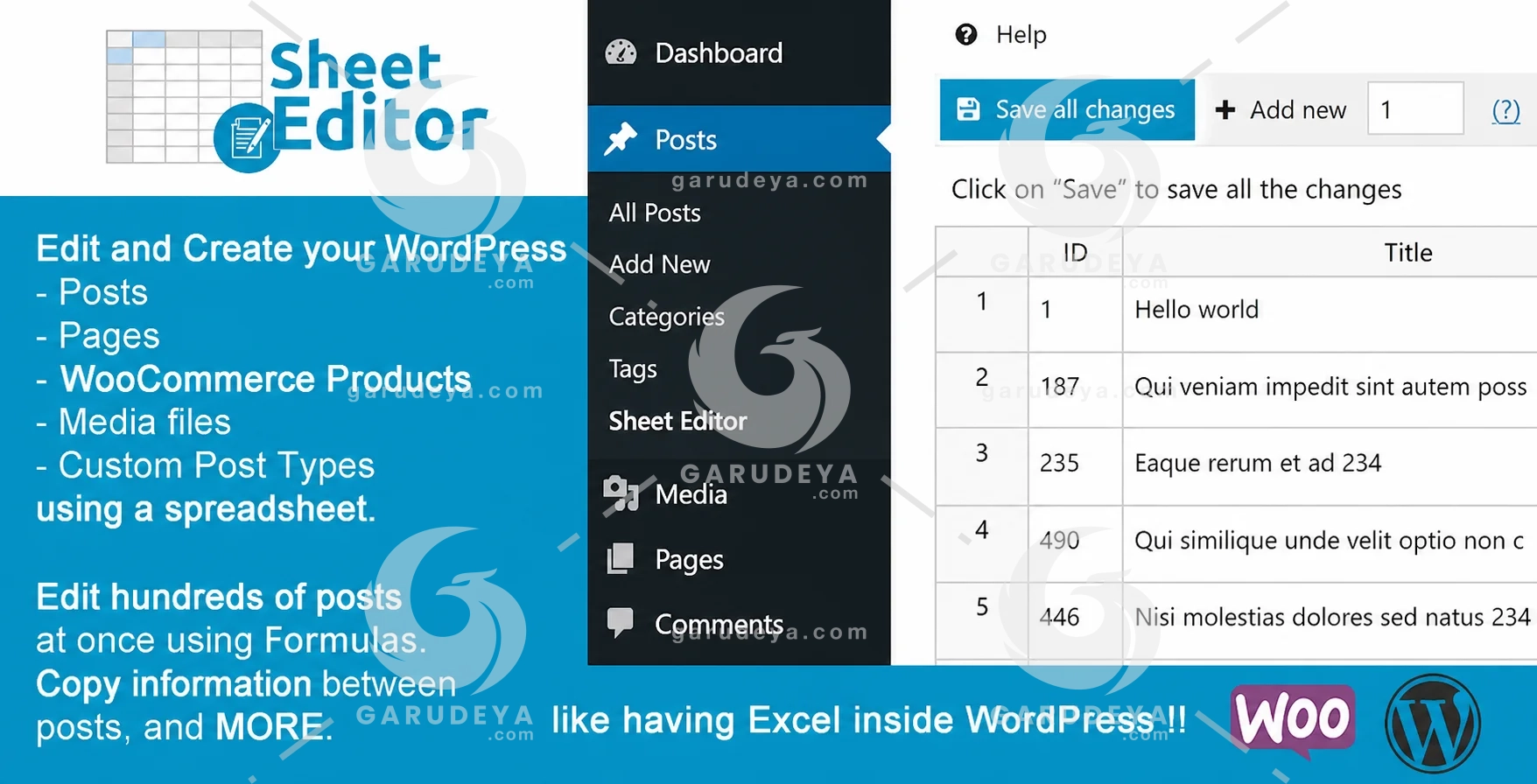
WP Sheet Editor was designed with a clear goal in mind: make bulk editing in WordPress as simple and as fast as working in a familiar spreadsheet tool. The moment you open the editor, you will feel the difference. Rows, columns, filters, and formulas, all available inside your WordPress admin, all working directly with your live database. No complicated exports, no CSV file headaches, and no waiting around for anything to sync.
This is not just a time-saving tool. It is a workflow revolution for WordPress users at every level, from freelancers managing client websites to enterprise teams handling massive product catalogs and content libraries.
Key Features and Benefits
Advanced Search and Filtering for Precision Editing
One of the most powerful aspects of WP Sheet Editor is its advanced search functionality. Instead of scrolling endlessly through your posts or products trying to find specific records, you can run detailed queries that narrow down exactly what you are looking for in seconds.
Filter by post status, category, custom field value, date range, author, and much more. Once your filtered results are displayed in the spreadsheet, you can make targeted changes across all matching records without touching anything you did not intend to edit. This level of precision is something the default WordPress editor simply cannot offer, and it is one of the main reasons site owners switch to WP Sheet Editor and never look back.
Why Advanced Search Matters for Large Websites
When your website grows beyond a few dozen posts or products, finding specific records becomes a real challenge. Advanced search turns what could be a frustrating, time-consuming task into a quick, clean process. You identify the records, you edit them, and you move on, all within a single spreadsheet view.
Edit Any Custom Post Type in a Spreadsheet
WordPress is endlessly flexible thanks to custom post types, but editing them has always been a challenge in the default admin interface. WP Sheet Editor solves this completely by letting you open any registered custom post type directly inside the spreadsheet editor.
Custom fields, taxonomies, metadata, and standard post fields are all accessible in column format. Whether your custom post type was created by a theme, a plugin, or your own development work, the spreadsheet editor adapts to it seamlessly. You get the same clean editing experience regardless of the content type you are working with.
Flexibility Across Every Content Type
This feature is a game changer for developers and agencies managing complex WordPress builds. Instead of building or purchasing separate tools for each content type, WP Sheet Editor gives you a single, unified interface for all of them.
Bulk Edit Hundreds of Posts, Pages, Courses, and Custom Post Types Using Formulas
Imagine being able to update the price of 500 products, add a prefix to 200 post titles, or apply a discount percentage across an entire product category, all in a matter of seconds. With the formula-based bulk editing feature inside WP Sheet Editor Premium, this is not just possible, it is effortless.
Formulas work similarly to what you would expect in a spreadsheet application. You define a rule, apply it to a selection of rows, and the changes roll out instantly across every matching record. There is no need to write code, run database queries, or hire a developer. The formula system is designed to be accessible even for non-technical users while being powerful enough to handle complex transformations.
Real Time Savings with Formula-Based Editing
For online store owners running seasonal promotions, bloggers updating category descriptions, or course creators adjusting enrollment settings, this feature alone saves dozens of hours every month. The return on investment is immediate and measurable.
Upload Post Images in Bulk Quickly
Uploading images one by one through the WordPress media library is one of the most repetitive and time-consuming tasks any content manager faces. WP Sheet Editor Premium eliminates this bottleneck by allowing you to upload featured images and other post images in bulk directly through the spreadsheet interface.
You can paste image URLs, upload files, or assign existing media library items to multiple posts at once. For online stores with large product catalogs or blogs that publish image-heavy content, this feature dramatically reduces the time spent on media management and allows your team to focus on what actually matters: creating great content.
View and Edit Posts, Pages, and SEO Fields at a Glance
The spreadsheet view gives you a bird’s-eye perspective of your entire content library. Every post, page, product, or record is displayed as a row, with each editable field appearing as a column. You can scroll, sort, filter, and edit without ever leaving the spreadsheet.
One particularly valuable capability within WP Sheet Editor is the ability to edit SEO titles and meta descriptions directly inside the spreadsheet. If your website runs an SEO plugin like Yoast SEO or Rank Math, the sheet editor can surface those fields so you can audit and optimize your entire site’s SEO metadata in a single session. Reviewing, updating, and improving your on-page SEO across hundreds of posts has never been this straightforward.
SEO Optimization at Scale
For SEO professionals and content teams, this feature is invaluable. Updating meta titles and descriptions one page at a time is impractical at scale. With WP Sheet Editor, you can sort by missing SEO fields, identify gaps, and fill them all in a single focused editing session.
Edit Portfolio Items and Course Content in a Spreadsheet
Creative professionals managing portfolio websites and educators running online courses both have unique content management needs. WP Sheet Editor Premium caters to both audiences with full support for portfolio post types and learning management system content.
Whether you are updating project descriptions, reorganizing course modules, adjusting lesson titles, or changing enrollment settings, the spreadsheet interface handles it all with the same efficiency it brings to every other content type. For those using popular LMS plugins or portfolio themes, this means no more repetitive clicking through individual course or project pages.
Built for Educators and Creatives
Course creators can update lesson details, pricing, categories, and custom fields for dozens of courses simultaneously. Portfolio owners can refresh project data, update tags, and reorganize content without the usual administrative drag.
WP Sheet Editor Premium: The WordPress Plugin That Pays for Itself
Every minute saved in content management is a minute you can reinvest in growing your business, serving your clients, or creating content that actually moves the needle. WP Sheet Editor Premium is not just a convenience, it is a strategic investment in your productivity and your website’s performance.
All changes made through the sheet editor apply live to your website in real time. There is no intermediate step, no export and re-import process, and no risk of data getting out of sync. What you edit in the spreadsheet is exactly what your visitors see, immediately.
For WordPress site owners, developers, content managers, and digital marketers who take their work seriously, WP Sheet Editor Premium delivers a level of efficiency and control that the default WordPress editor simply cannot match. Start editing smarter, faster, and with far less effort starting today.
How to Download this item at Garudeya.com
The method is quite easy, click this link, you will be directed to this item download tutorial
> We do not offer any additional services from authors, such as product customization or license keys. We are not affiliated or associated in any way with any third party developers or trademark owners. > This product is intended for testing purposes only. To respect the original developer, we still recommend you to purchase the original product through the official sales site. > 100% Clean Files & Free From Viruses & Free From Malware > Unlimited Use > Instant Download
User Reviews
0.0out of 5
★★★★★
0
★★★★★
0
★★★★★
0
★★★★★
0
★★★★★
0
Write a review
There are no reviews yet.
Be the first to review “WP Sheet Editor Premium” Cancel reply







User Reviews
There are no reviews yet.