Make WordPress Simpler and Easier to Use for Clients
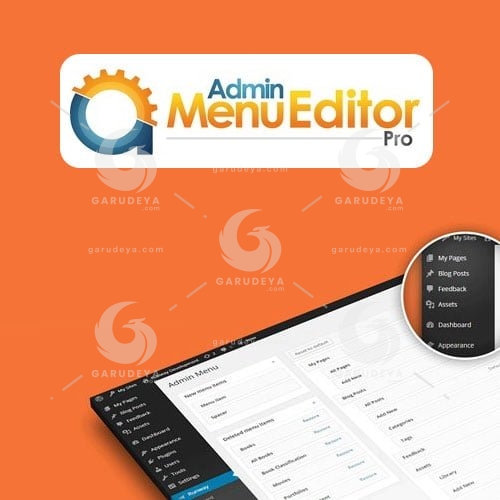
Admin Menu Editor Pro Plugin, change menu permissions with just a couple of clicks. Click a role, uncheck the menu items that you want to hide, and check the ones that you want to show. You can also change permissions for individual users. With Admin Menu Editor Pro Plugin make WordPress easier to use by moving frequently used menu items to the top. You can also move menu items from one submenu to another, or to the main menu.
Change menu permissions with just a couple of clicks. Click a role, uncheck the menu items that you want to hide, and check the ones that you want to show. You can also change permissions for individual users. For example, you could hide a menu from everyone except yourself, or give a user access to a specific admin page without changing their role.
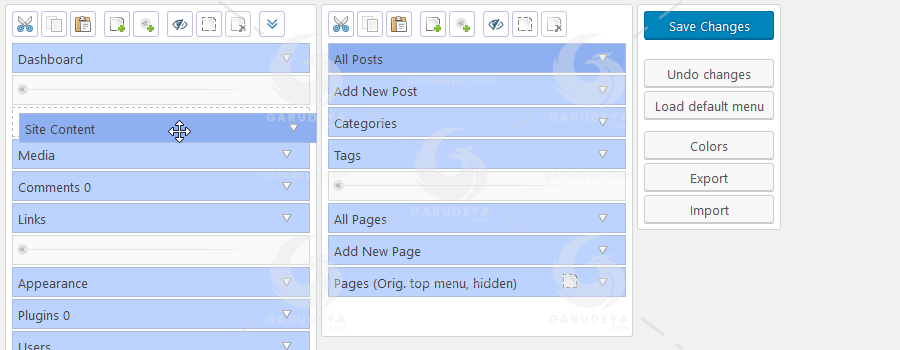
Organize the menu with drag and drop
Make WordPress easier to use by moving frequently used menu items to the top. You can also move menu items from one submenu to another, or to the main menu. Want a top-level link to “Add New Post” or to a specific plugin? You can do that. Got an unruly plugin that puts its admin page in the wrong place? Move it to “Settings” instead.
Choose from over 600 menu icons
The plugin comes with a large collection of icons from the Dashicons and FontAwesome icon fonts. You can upload your own PNG or GIF icons through the Media Library, or enter the icon URL manually. You can also add icons to submenu items.
Change menu colors
Edit the background, text, icon, and highlight colors. You can apply your changes to the entire admin menu, or customize the colors of individual items.
Create new menu items
You can add your own links to the admin menu. You can also make a custom menu that embeds the contents of a post or page in the WordPress admin. Finally, it’s possible to create non-clickable items, which can be useful for things like section headers in complex admin menus.
Make menus open in a new tab or an iframe
Let’s say you’re building a site for a non-technical client and you want to make a tutorial page or an external service look like it’s part of WordPress. The “Open in: Frame” option can help with that. It will display the linked page in a borderless frame. For completeness, a “new window” option (i.e. target="_blank") is also included.
Import and export menu settings
Export your admin menu configuration to a file, then import it on another site.
Hide plugins
Hide individual entries on the “Plugins” page. As with menu items, you can hide them from everyone, or only from specific roles or users.
Apply your branding
Use the Branding add-on to replace the default WordPress branding with your own. You can replace the WordPress logo, customize the login page, change the admin color scheme, hide the WordPress version and core update notifications, and so on.
Edit the Admin Bar
The optional Toolbar Editor add-on lets you customize the Admin Bar, which is also known as the WordPress Toolbar. You can hide toolbar items, change their order with drag & drop, rename items, add new links, and more.
> We do not offer any additional services from authors, such as product customization or license keys. We are not affiliated or associated in any way with any third party developers or trademark owners. > This product is intended for testing purposes only. To respect the original developer, we still recommend you to purchase the original product through the official sales site. > 100% Clean Files & Free From Viruses & Free From Malware > Unlimited Use > Instant Download
User Reviews
0.0out of 5
★★★★★
0
★★★★★
0
★★★★★
0
★★★★★
0
★★★★★
0
Write a review
There are no reviews yet.
Be the first to review “Admin Menu Editor Pro Plugin” Cancel reply




User Reviews
There are no reviews yet.