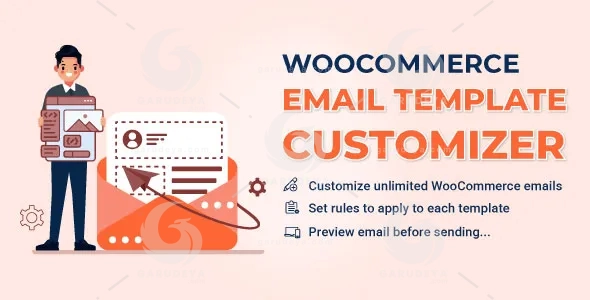
WooCommerce Email Template Customizer – Customize WooCommerce Emails That Inspire More Sales and Customer Loyalty
Your emails are often the last touchpoint customers experience after making a purchase. Yet many WooCommerce store owners still send plain, generic notifications that fail to reflect their brand identity or create a memorable customer experience.
WooCommerce Email Template Customizer gives you complete control over how your WooCommerce emails look, feel, and perform. Instead of relying on basic default email layouts, you can design professional, engaging, and fully branded transactional emails that strengthen customer relationships and increase trust.
Whether you run a small online shop or a large eCommerce business, this powerful WooCommerce email builder helps you create beautiful email templates without writing a single line of code. With an intuitive drag-and-drop editor, responsive layouts, advanced targeting rules, and WooCommerce-specific content elements, you can transform every order notification into an opportunity to enhance customer engagement and drive repeat purchases.
Create personalized shopping experiences, promote products, share coupons, highlight important information, and ensure every email perfectly matches your brand. The result is a more professional online store, improved customer satisfaction, and higher conversion potential from every message you send.
Design Stunning WooCommerce Emails with an Easy Drag-and-Drop Builder
Build Professional Email Templates Without Coding
Creating attractive transactional emails has never been easier. The visual drag-and-drop editor allows you to build and customize WooCommerce emails effortlessly. Simply select elements, place them where you want, and adjust every detail to suit your store branding.
You can rearrange content blocks, modify layouts, and personalize email designs without technical knowledge, making it ideal for store owners, marketers, and agencies alike.
Customize Every Part of Your Email Layout
Take full control over your email appearance with flexible editing options. Adjust colors, typography, borders, spacing, backgrounds, alignments, and more to create a consistent brand experience across all customer communications.
Powerful Basic Elements for Complete Creative Freedom
Text Elements with Advanced Styling Controls
Create engaging content using customizable text blocks. Control font size, text color, alignment, borders, padding, margins, links, images, social icons, shortcodes, and background styling to deliver polished and professional messages.
Visual Design Components
Enhance your email design using:
Divider
Create clean visual separation between sections with customizable styles, colors, widths, and spacing.
Image
Add product images, promotional banners, or branded graphics with adjustable sizing, alignment, borders, and backgrounds.
Button
Drive customer action with fully customizable call-to-action buttons that encourage clicks and conversions.
Spacer
Maintain clean layouts by adding adjustable spacing between content blocks.
Essential Communication Elements
Include social media icons, contact information, and navigation menu bars that guide customers toward important pages such as your Shop, Home, and Contact sections.
WooCommerce-Specific Elements Built for eCommerce Success
Display Complete Order Information
Provide customers with clear and organized order details using dedicated WooCommerce elements.
Order Details
Show comprehensive order information with customizable headings, colors, alignments, borders, and spacing.
Order Total and Subtotal
Display payment summaries, discounts, shipping costs, refunds, and other order-related information in a visually appealing format.
Billing and Shipping Addresses
Present customer information clearly while maintaining a professional appearance consistent with your brand.
Payment and Shipping Methods
Help customers quickly review their selected payment and delivery methods directly from the email.
Increase Revenue with Product Recommendations and Coupons
Recommend Relevant Products
Use the Products element to showcase featured items directly within emails. Customers can click suggested products and visit product pages instantly, creating additional opportunities for upselling and cross-selling.
Deliver Promotional Coupons
Encourage repeat purchases by displaying coupon codes directly inside your email templates. Customers can easily copy and apply discounts during future purchases.
Promote Blog Content and Store Updates
Use the Post element to feature articles, announcements, and valuable content that keeps customers engaged with your brand beyond the checkout process.
Integrate Third-Party Content with WC Hooks
Flexible WooCommerce Hook Support
The WC Hook element allows you to insert content generated by third-party plugins wherever WooCommerce hooks are available. Simply drag and drop the hook element into your preferred position and seamlessly extend your email functionality.
Advanced Email Rules for Personalized Customer Experiences
Smart Targeting and Automation
Send the right email to the right customer at the right time. The advanced rule system enables highly targeted email customization based on specific order conditions.
You can create personalized email campaigns according to:
Product Categories
Apply templates only to selected categories.
Specific Products
Assign custom email designs to individual products or product variations.
Billing Countries
Create region-specific customer experiences.
Payment Methods
Customize messages according to customers’ preferred payment options.
Order Value
Trigger different email templates based on order subtotal or total amount using minimum and maximum thresholds.
Multi-Language Support for Global Stores
Language-Based Email Templates
If you use multilingual plugins such as WPML, Polylang, or TranslatePress, you can create unique email templates for each language. This allows customers to receive localized communications that feel more personal and professional.
RTL and LTR Compatibility
Easily switch between Left-to-Right and Right-to-Left layouts, ensuring perfect display for global audiences and RTL languages.
Reusable Blocks for Faster Workflow
Create Once, Use Everywhere
Save frequently used sections as customizable blocks and insert them into any email template. This helps maintain branding consistency while significantly reducing design time.
Responsive Email Design Across All Devices
Mobile and Desktop Preview
Before sending, preview your emails on both desktop and mobile devices to ensure a flawless customer experience regardless of screen size.
Responsive Point Controls
Fine-tune layouts with responsive design settings that help your emails look professional on smartphones, tablets, and desktops.
Test, Import, Export, and Manage Templates with Ease
Send Test Emails Before Launch
Verify layouts, content, links, and functionality before emails reach your customers.
Import and Export Templates
Transfer templates between multiple WooCommerce websites where the plugin is installed and activated, making store management faster and more efficient.
Priority-Based Template Management
Control which template is applied first using advanced priority settings. This ensures the most relevant email design is selected whenever multiple rule conditions exist.
Gain Valuable Customer Insights
Track Suggested Product Performance
Monitor customer interaction with recommended products directly from your emails. View reports showing clicks and orders generated through product suggestions, helping you optimize future email marketing strategies.
Why Choose WooCommerce Email Template Customizer?
WooCommerce Email Template Customizer combines flexibility, ease of use, and powerful personalization tools into one complete solution. From designing beautiful transactional emails to creating advanced rule-based customer experiences, this plugin helps you transform ordinary WooCommerce notifications into highly engaging, conversion-focused communications.
Deliver branded experiences, improve customer satisfaction, increase engagement, and unlock more sales opportunities with every email your store sends.
How to Download this item at Garudeya.com
The method is quite easy, click this link, you will be directed to this item download tutorial
> We do not offer any additional services from authors, such as product customization or license keys. We are not affiliated or associated in any way with any third party developers or trademark owners. > This product is intended for testing purposes only. To respect the original developer, we still recommend you to purchase the original product through the official sales site. > 100% Clean Files & Free From Viruses & Free From Malware > Unlimited Use > Instant Download
User Reviews
0.0out of 5
★★★★★
0
★★★★★
0
★★★★★
0
★★★★★
0
★★★★★
0
Write a review
There are no reviews yet.
Be the first to review “WooCommerce Email Template Customizer” Cancel reply




User Reviews
There are no reviews yet.