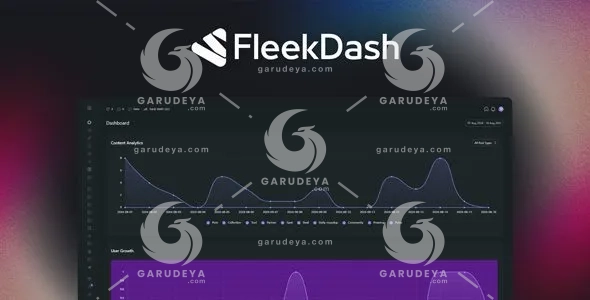
FleekDash – Ultimate Admin Experience for WordPress: The Clean, Powerful Control Center Your Site Deserves
If you have ever stared at a cluttered WordPress admin panel and felt your productivity drain away before your workday even started, you are not alone. Most WordPress users spend more time wrestling with disorganized menus, scattered media files, and repetitive clicking than they do actually building something meaningful. That frustration is real, and it costs you time, energy, and money every single day. FleekDash – Ultimate Admin Experience for WordPress was built specifically to solve that problem. It replaces your chaotic wp-admin with a clean, structured, and visually polished workspace that actually works the way your brain does. From the moment you install and activate it, everything changes. No steep learning curve, no complex configuration, no coding. Just a smarter, faster, and more enjoyable way to manage WordPress.
Whether you are a freelance web developer juggling multiple client sites, an agency managing a full portfolio, or a business owner who simply wants their website backend to stop feeling like a maze, FleekDash delivers the kind of admin experience that makes you want to log in. It is not just a cosmetic upgrade. It is a complete reimagining of how WordPress administration should feel and function. With FleekDash powering your workflow, you stop surviving your backend and start owning it.
Why FleekDash Is the WordPress Admin Plugin You Have Been Waiting For
The WordPress ecosystem is packed with plugins, but very few of them address the actual day-to-day experience of working inside the admin panel. Most tools add features without thinking about the person using them. FleekDash takes the opposite approach. It begins with the user, their habits, their frustrations, and their goals, and builds every feature around solving a real problem. The result is a WordPress admin customization tool that feels natural from day one and gets better the more you use it.
Key Features and Benefits
Smart Media Manager: Find Files Faster, Work Smarter
Say Goodbye to Endless Media Library Scrolling
One of the most universally frustrating parts of managing a WordPress website is the native media library. It is flat, unorganized, and completely unscalable as your site grows. With FleekDash, the Smart Media Manager transforms your media experience entirely. You can organize all your images, videos, documents, and files into clearly labeled folders that actually make sense for your workflow. Drag-and-drop functionality means moving files between folders takes seconds rather than minutes. Bulk editing allows you to update multiple media items at once, whether you are renaming, moving, or deleting. For anyone managing a content-heavy site or multiple client projects, this single feature alone saves hours every week. The Smart Media Manager brings professional-grade file organization to your WordPress admin without requiring any technical expertise.
Command Bar and Search: Your Shortcut to Everything
Access Any Page, Post, Setting, or Tool Instantly
Time spent clicking through nested menus is time you are not spending on work that actually matters. The Command Bar built into FleekDash gives you instant access to anything inside your WordPress admin through a fast, intuitive search interface. Type what you are looking for, whether it is a specific post, a plugin setting, a user profile, or a custom page, and you are there within seconds. No more memorizing where things live in the menu structure. No more opening tab after tab trying to find what you need. For agencies and developers who manage WordPress at scale, the Command Bar is a genuine game-changer that compounds its value over time. The productivity gains from this one feature ripple across your entire WordPress management process.
AI Assistant: Create, Reply, and Manage Without Leaving Your Dashboard
Bring the Power of Artificial Intelligence Into Your Workflow
Content creation and community management are two of the most time-intensive parts of running a WordPress site. FleekDash integrates an AI Assistant directly into your admin dashboard so you can draft blog posts, generate content ideas, craft responses to comments, and handle other writing tasks without switching between tools or browser tabs. The AI works within your existing environment, keeping you focused and in flow. Whether you are a solo creator trying to publish consistently or a marketing team managing high-volume content production, the built-in AI assistant reduces the mental load of content work significantly. This is smart WordPress administration built for the modern web professional.
Growth Tracker: Visualize Progress and Prove Your Impact
Show Results That Clients and Stakeholders Actually Care About
Results matter, but they only matter if you can communicate them clearly. The Growth Tracker inside FleekDash gives you a real-time view of your site’s progress through a Growth Score system and achievement milestones that translate technical improvements into language anyone can understand. For WordPress developers and agencies, this is an incredibly powerful feature when reporting to clients. Instead of presenting raw data or complicated analytics exports, you can show a clear, visual story of what has been accomplished. The Growth Tracker keeps your team motivated, your clients informed, and your reporting process efficient. It turns abstract work into measurable, visible achievement.
Theme and Brand Manager: Make Your Admin Feel Like Yours
Full Visual Customization Without Writing a Single Line of Code
Your WordPress admin does not need to look like every other generic wp-admin panel on the internet. FleekDash includes a comprehensive Theme and Brand Manager that lets you customize your admin interface with your own logo, color palette, and typography preferences. Switch between light and dark mode with a single click. Apply your brand identity to the backend experience so clients who log in see a professional, cohesive environment that reflects your work. This is especially valuable for WordPress developers and agencies who want to deliver a premium, white-labeled admin experience to every client they serve. No coding required, no child themes needed, just straightforward customization that works.
Window Manager: Stay Organized Across Multiple Tasks
Bookmark, Minimize, and Navigate Your Admin Like a Pro
Multitasking inside WordPress has always been awkward. You open a page, forget where you were, lose your place in a long settings screen, and waste time finding your way back. The Window Manager in FleekDash solves this by letting you bookmark frequently used screens, minimize side panels to reclaim screen space, and jump between tasks in a single click. Think of it like having browser tabs but built directly into your admin experience. For power users managing complex WordPress setups, the Window Manager brings a level of organization and efficiency that simply does not exist in a standard wp-admin environment. It respects your time and keeps your workflow moving forward.
Content Grid: Edit Everything Faster in One Unified View
Posts, Pages, and Custom Post Types in a Single, Powerful Interface
Back-and-forth navigation between lists and individual edit screens is one of the biggest hidden time drains in WordPress management. The Content Grid in FleekDash consolidates your posts, pages, and custom content types into one fast, filterable grid that supports inline editing and quick duplication. Update a title, change a status, or duplicate a page template without ever leaving the grid view. Filters help you find exactly what you need in large content libraries. For content managers, editorial teams, and site administrators who work with high volumes of content every day, the Content Grid is the kind of efficiency upgrade that transforms how WordPress publishing feels.
Custom Login System: Secure, Branded, and Professional
Replace the Default WordPress Login With Something That Represents Your Brand
First impressions matter, even on a login page. FleekDash replaces the generic WordPress login screen with a fully branded authentication experience that reflects your business or your client’s identity. Custom logos, branded color schemes, and clean design elements make logging in feel intentional and professional rather than like an afterthought. Beyond aesthetics, the Custom Login System also contributes to team security and client confidence. When clients see a polished, branded login page, it reinforces their trust in you as a professional. For agencies delivering WordPress sites to clients, this feature is a straightforward way to elevate the entire user experience from the very first interaction.
Menu Builder and Navigation: Show Each User Exactly What They Need
Role-Based Admin Menus That Reduce Confusion and Increase Focus
Not everyone who logs into your WordPress site needs to see everything. Showing clients or team members a full, unfiltered admin menu is a fast way to create confusion, accidental changes, and unnecessary support requests. The Menu Builder in FleekDash lets you create custom navigation menus tailored to specific user roles. A client sees only the pages and tools relevant to their needs. An editor sees only content-related screens. An administrator sees the full picture. This role-based approach keeps your admin clean, relevant, and easy to navigate for every type of user. It is one of the most practical and impactful features FleekDash offers for teams and agencies working with multiple stakeholders.
Experience the Difference That FleekDash Makes Every Single Day
Managing WordPress does not have to be a source of stress or frustration. FleekDash – Ultimate Admin Experience for WordPress gives you a smarter, cleaner, and more powerful way to work inside your admin panel every single day. From the Smart Media Manager to the AI Assistant, from the Growth Tracker to the Custom Login System, every feature inside FleekDash was designed with one goal in mind: making your WordPress experience genuinely better. Install it today and discover what it feels like to actually enjoy managing your website.
How to Download this item at Garudeya.com
The method is quite easy, click this link, you will be directed to this item download tutorial
> We do not offer any additional services from authors, such as product customization or license keys. We are not affiliated or associated in any way with any third party developers or trademark owners.
> This product is intended for testing purposes only. To respect the original developer, we still recommend you to purchase the original product through the official sales site.
> 100% Clean Files & Free From Viruses & Free From Malware
> Unlimited Use
> Instant Download
User Reviews
0.0out of 5
★★★★★
0
★★★★★
0
★★★★★
0
★★★★★
0
★★★★★
0
Write a review
There are no reviews yet.
Be the first to review “FleekDash – Ultimate Admin Experience for WordPress” Cancel reply




User Reviews
There are no reviews yet.