French Wedding Video Invitation – An Elegant Château-Inspired Digital Invitation
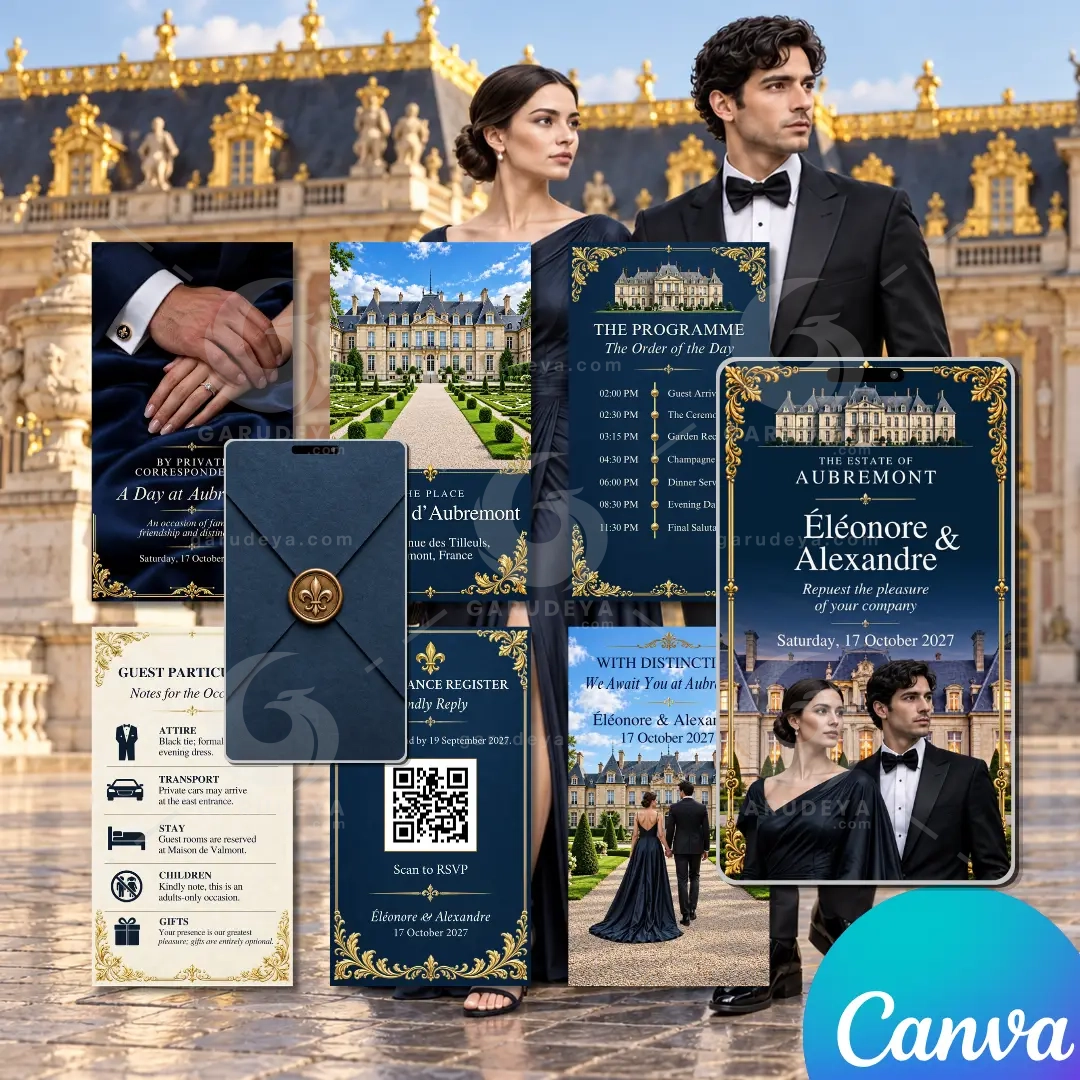
Set the tone for your celebration with a French wedding video invitation inspired by the timeless elegance of a French château. This beautifully coordinated animated invitation suite combines grand estate architecture, refined typography, slate-blue stationery, antique bronze details, and romantic editorial imagery to create a memorable first impression for your guests. Designed for couples who love classic French style with the convenience of modern digital stationery, this template makes it easy to share your wedding details in a polished video format.
Whether you are planning a château celebration, a destination wedding in France, or an elegant formal wedding closer to home, this editable Canva wedding invitation gives your announcement a distinctive sense of occasion. Personalize the wording, names, date, venue, and other details to make the design your own, then download and share your finished invitation digitally.
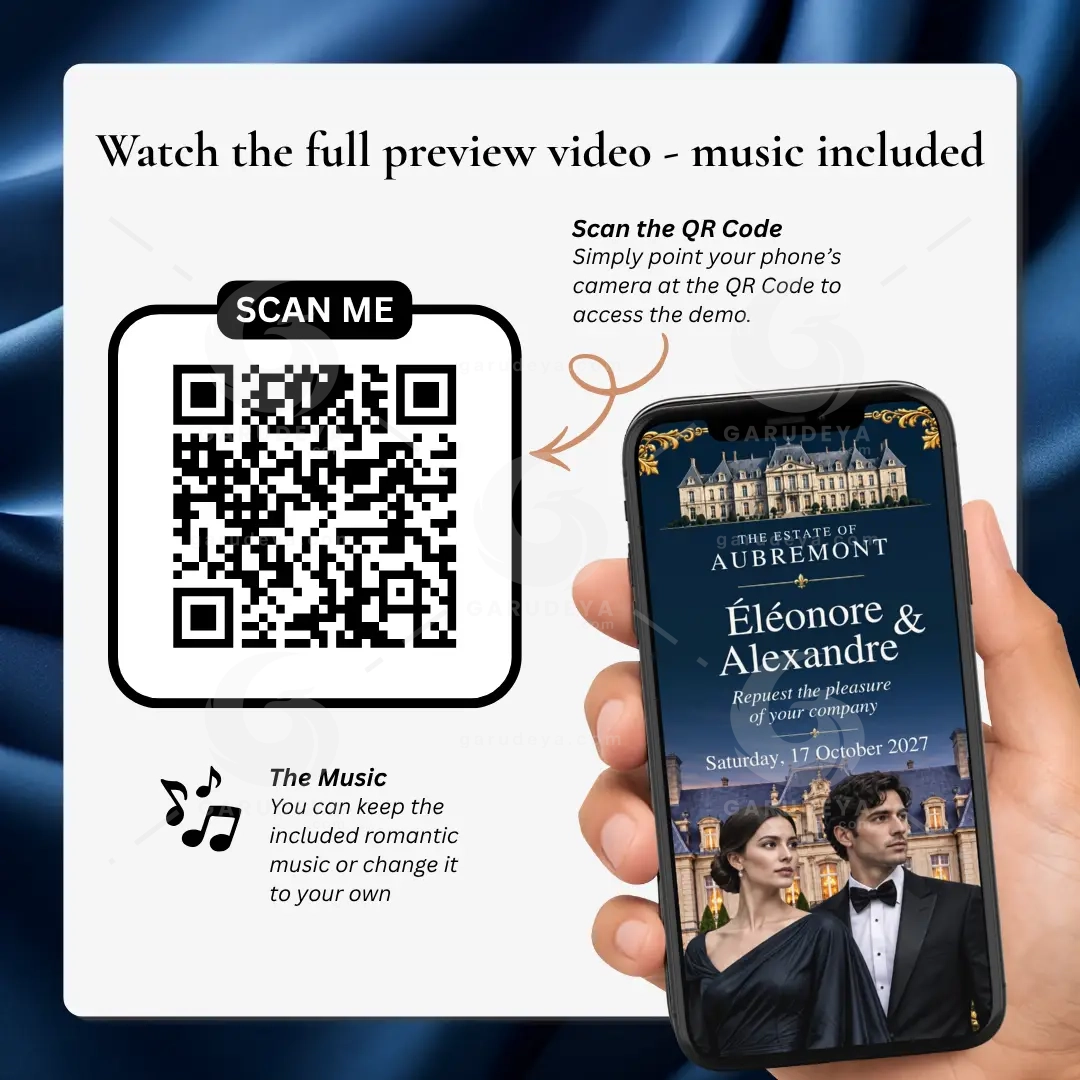
Watch the invitation preview to see the coordinated scenes, animated envelope opening, typography, and elegant château-inspired design in motion.
What’s Included
Your purchase includes a coordinated digital wedding invitation suite designed to help you introduce your celebration and communicate important information in one elegant presentation.
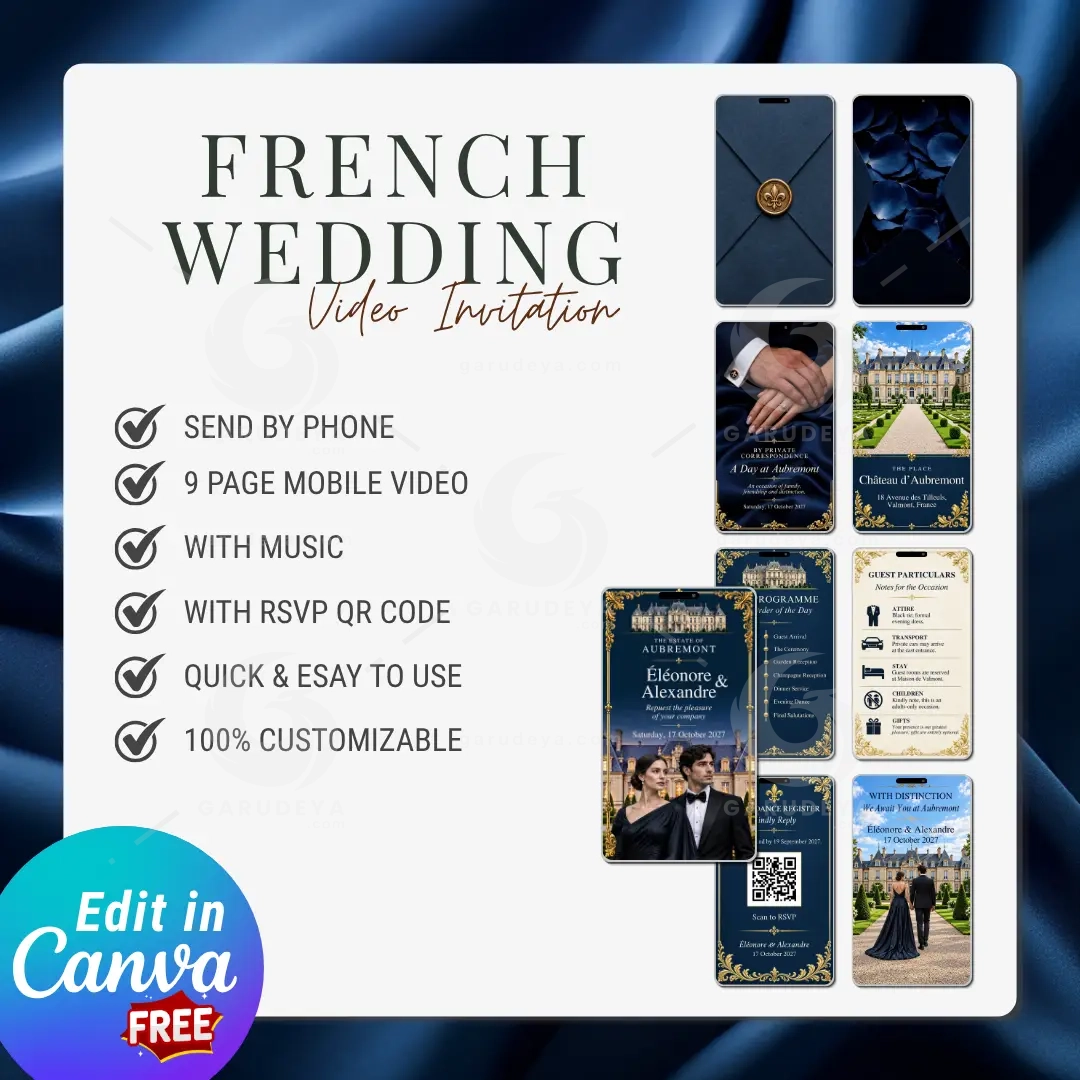
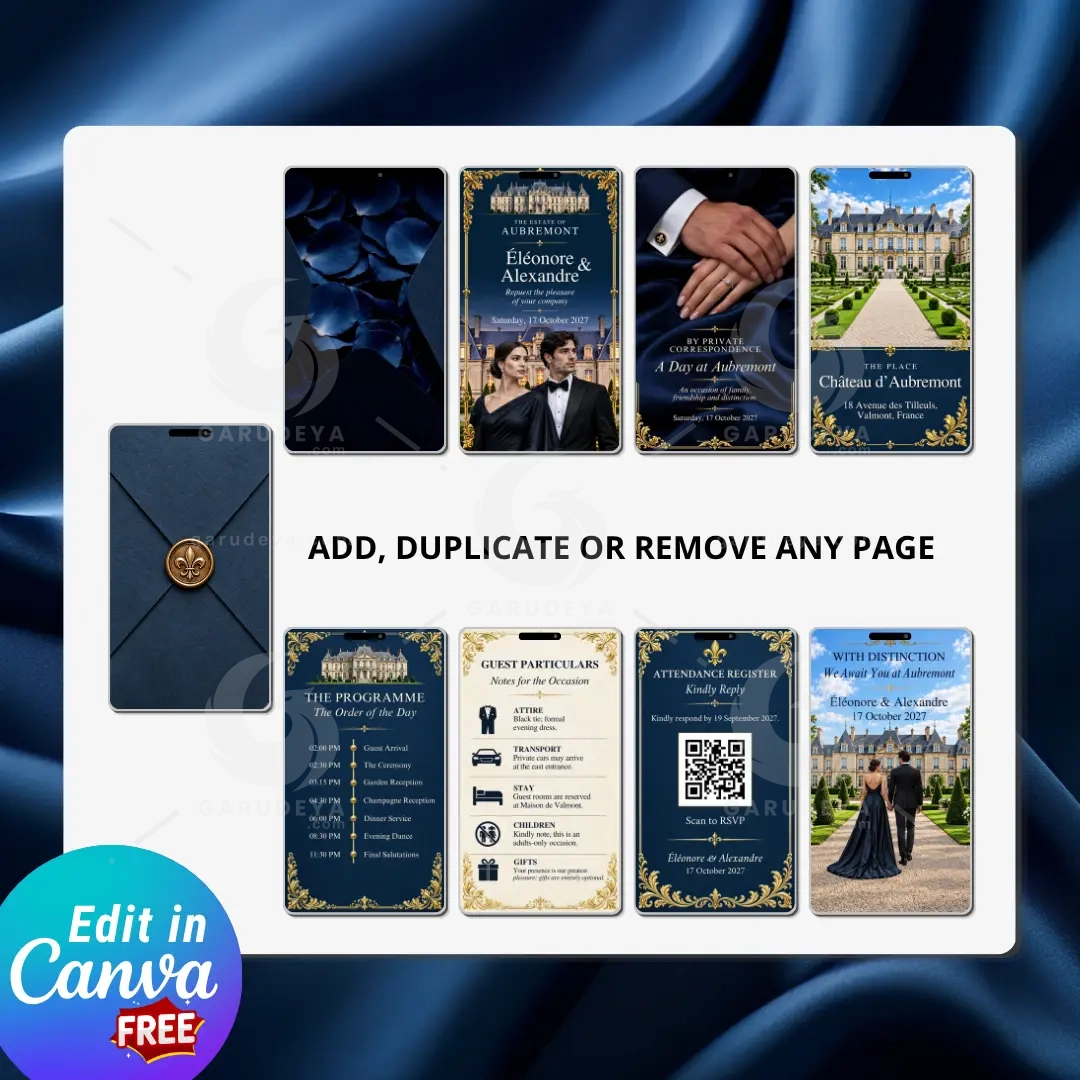
9-page Animated Wedding Video Invitation: A complete sequence of coordinated invitation scenes, from the opening envelope to the closing message.
Animated Envelope Opening with Wax Seal: A formal stationery-inspired opening that creates a memorable introduction.
Romantic Music Included: Music accompanies the invitation to create a warm, celebratory atmosphere.
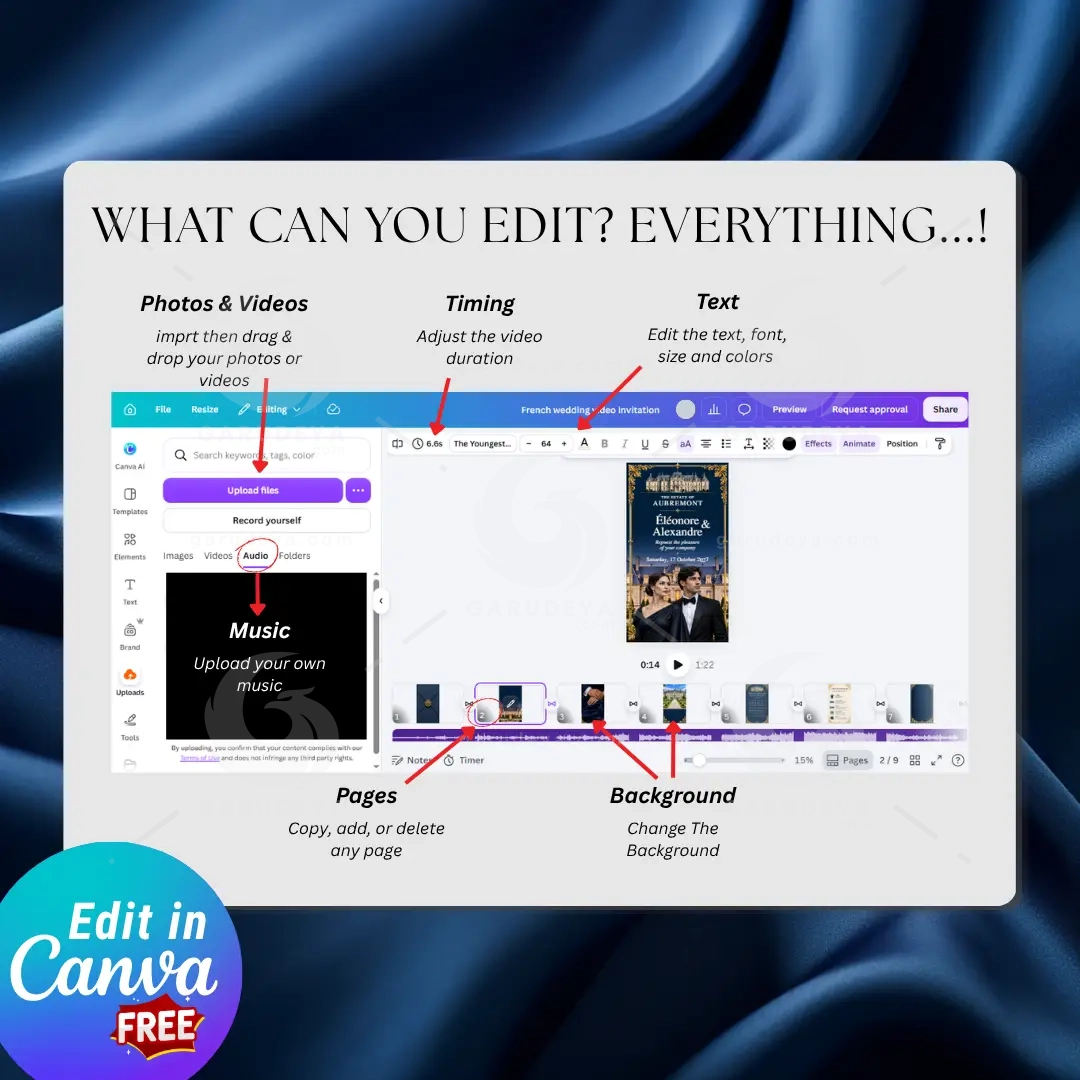
Fully Editable Canva Template: Personalize the available text and design elements in Canva.
RSVP QR Code Option: Add a QR code that directs guests to your RSVP form or chosen online destination.
BONUS Editable RSVP Form: Give guests a convenient way to confirm their attendance.
Wedding Timeline Page: Share the order of events and important times for your wedding day.
Date & Venue Page: Present your wedding date, ceremony location, and venue address clearly.
Wedding Details Page: Include useful information such as attire, transportation, accommodation, and other guest notes.
RSVP Page: Make it easy for guests to find your response deadline and RSVP instructions.
Closing Page: Finish your invitation with a graceful message from the couple.
Custom Opening Page Option: Personalize the opening experience to suit your celebration.
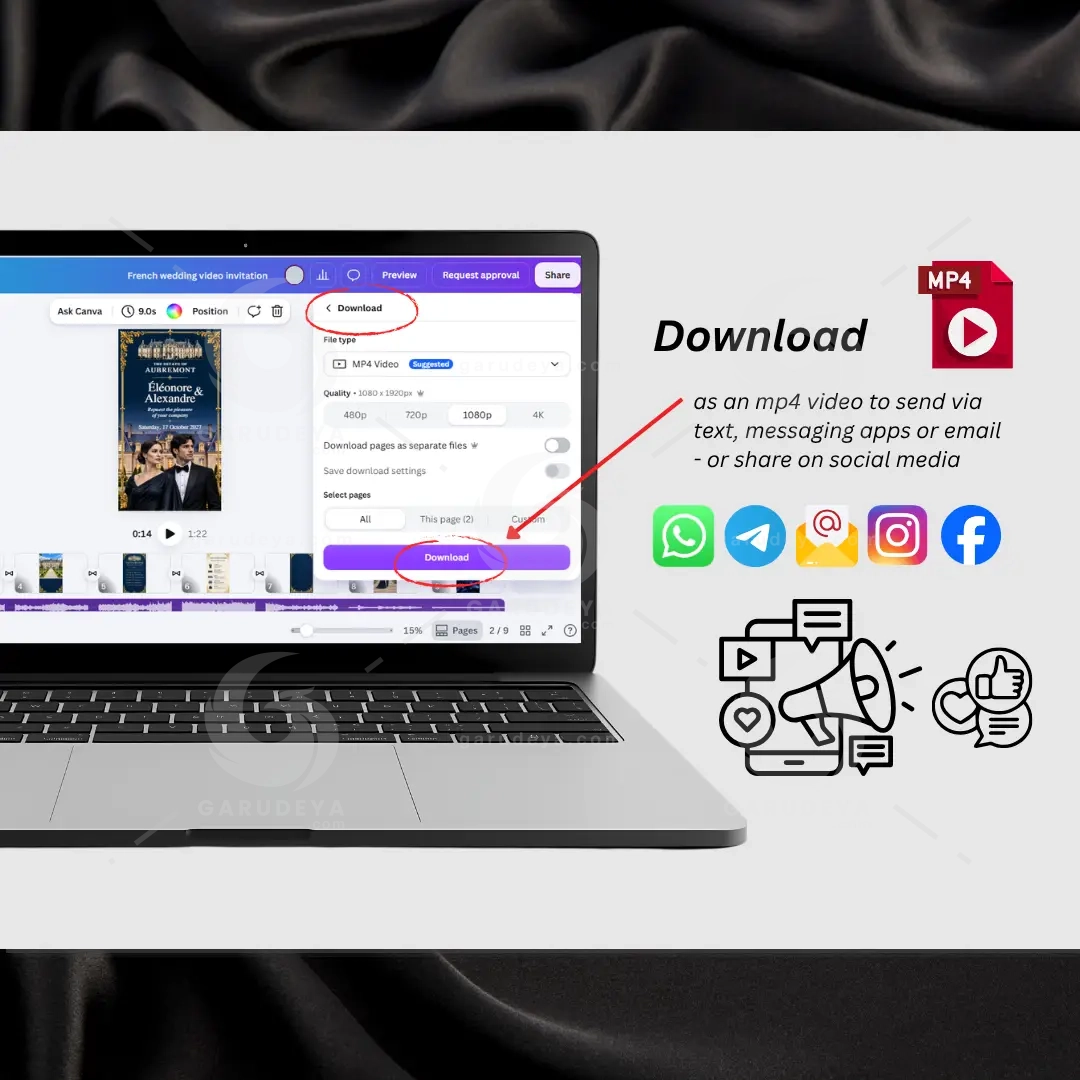
Easy MP4 Download: Export your completed invitation as a video file for convenient digital sharing.
Edit with a FREE Canva Account: You can personalize the template using a free Canva account.
Lifetime Access to Your Canva Templates: Return to your template whenever you need to review or update your wedding information.
ENVELOPE OPENING ANIMATION
Your invitation opens with a beautiful animated envelope: the flaps open slowly to reveal your invitation. The envelope animation is a ready-made video clip, created with AI tools and designed by us, so it is not editable. Everything else in your invitation is fully editable in Canva.
✔ Ready-made (not editable): the envelope opening and closing animations
✔ Fully editable: names, date, venue, timeline, details, RSVP, photos, fonts, colors, music, timing, and page order
✔ Don’t want the envelope? Simply delete it and start your video from the next page.
RSVP QR CODE + RSVP TRACKING
Make responding simple and convenient with an RSVP QR code. Add your own QR code to the invitation and link it to your editable RSVP form or preferred response destination. Guests can scan the code with a compatible smartphone camera and access the form without searching through messages for a separate link.
The included editable RSVP form bonus helps you collect responses in one place. Use it to request the information you need, such as guest names, attendance confirmation, and other wedding-related details. You can review submitted responses through the form service you choose.
Please note that any QR code shown as a design placeholder should be replaced with your own working QR code before sending your invitation. Test the finished code on a phone to make sure it opens the correct RSVP destination.
SEND DIRECTLY TO YOUR GUESTS
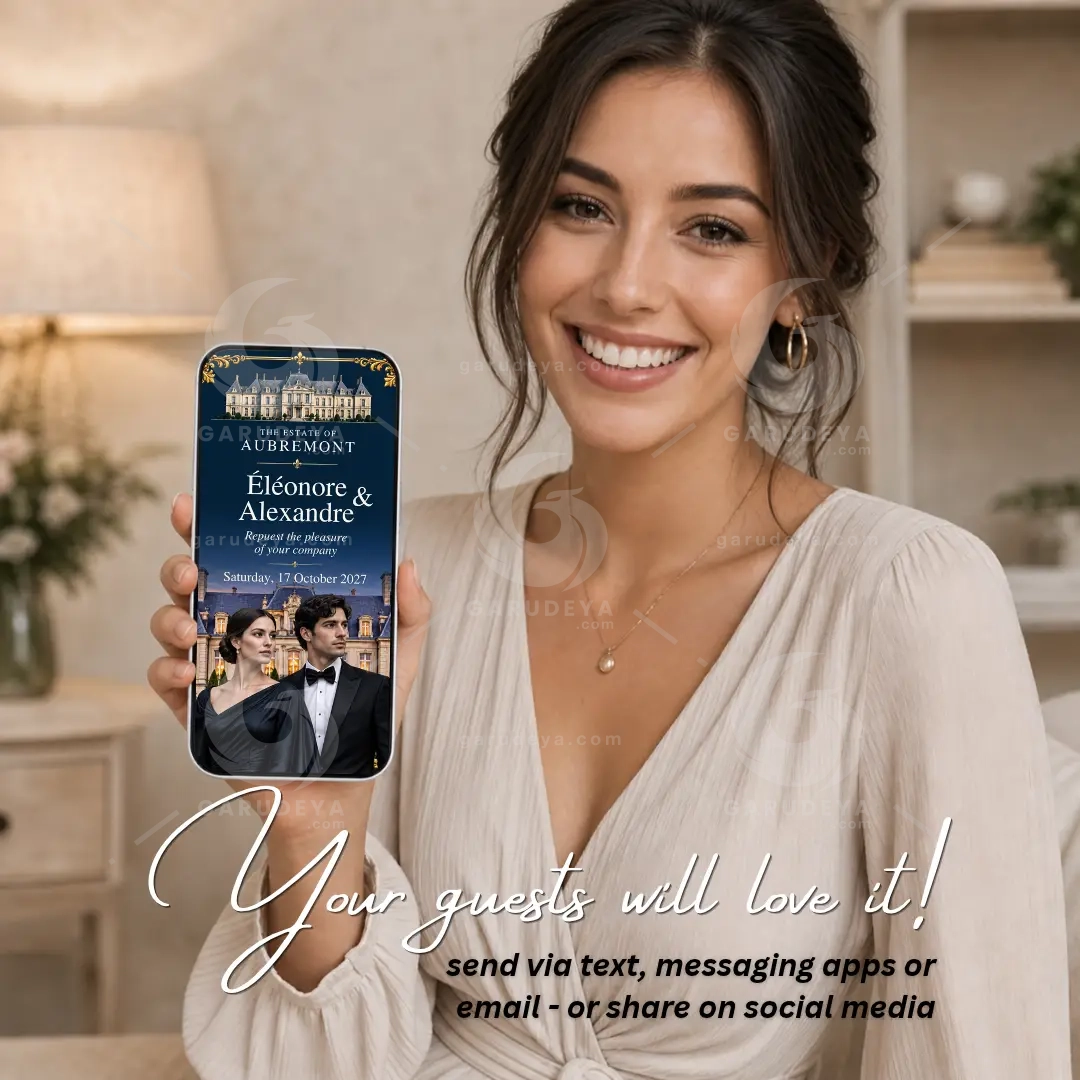
Once you have personalized your invitation, download it as an MP4 video and share it with family and friends wherever you normally communicate.
You can send your finished wedding invitation through:
Text message or SMS
WhatsApp
Email
Messenger
Social media
Your guests can watch the MP4 video using a compatible device or media player. No wedding website or special invitation app is required for them to view the video. It is a simple, convenient way to announce your celebration to guests near and far.
TRANSLATE INTO ANY LANGUAGE
Planning an international celebration or inviting guests from different countries? Make the invitation more accessible by replacing the editable wording with your preferred language in Canva.
You can translate the invitation text, venue information, timeline, guest instructions, and RSVP wording to suit your audience. This is especially useful for destination weddings, multicultural families, and celebrations where guests speak different languages.
Please review translated text carefully after editing. Some languages require more space than English, so adjust font size, spacing, and text placement as needed to keep every page clear and beautifully balanced.
HOW IT WORKS
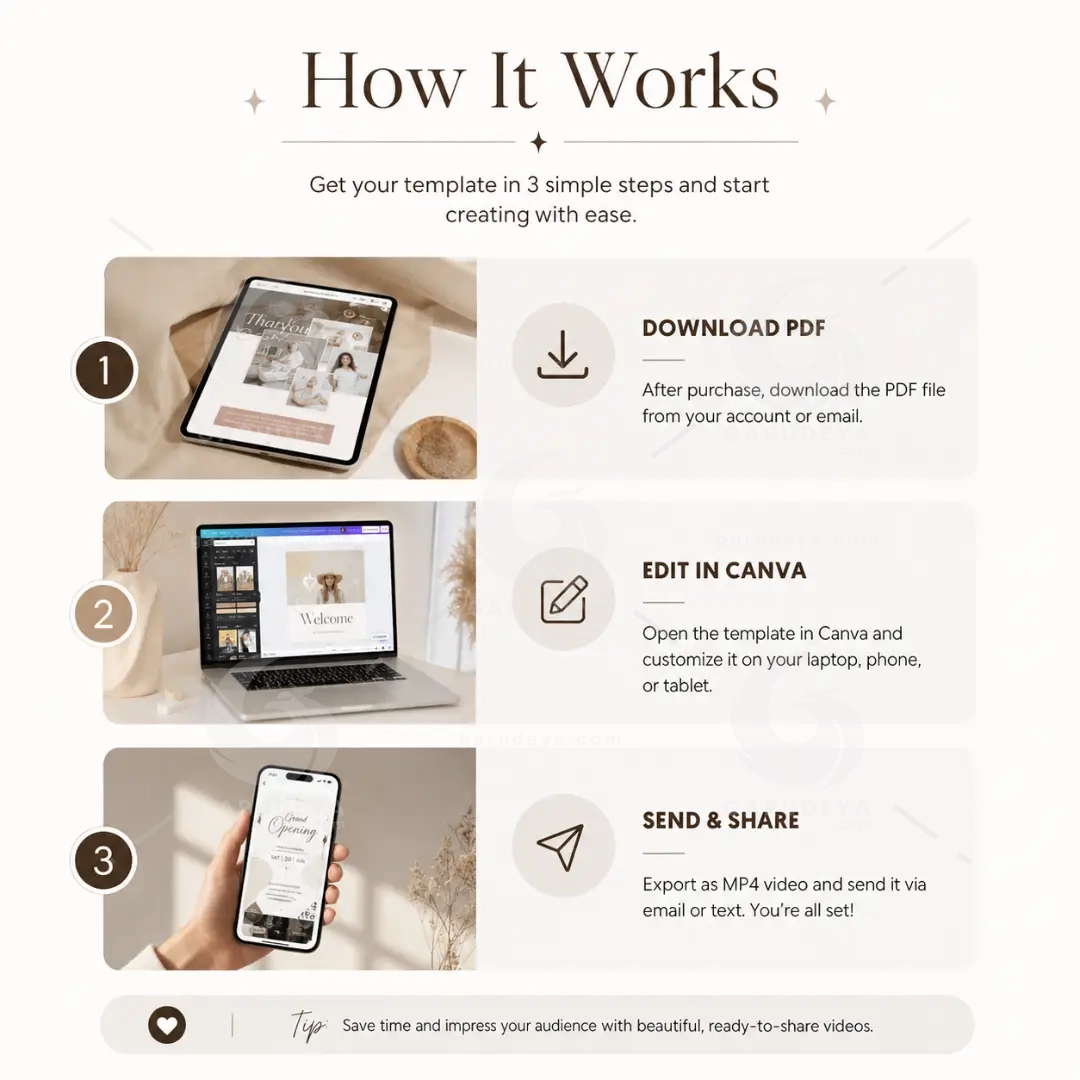
Getting your digital invitation ready is straightforward:
Purchase the template: Complete your order through Etsy.
Open your Canva template: Access the template using the link and instructions provided with your purchase.
Personalize your invitation: Add your names, wedding date, venue, address, schedule, and guest information.
Add your RSVP details: Insert your own working QR code or RSVP link and update the response deadline.
Review every page: Check spelling, dates, times, links, and the final appearance of your invitation.
Download your video: Export your completed invitation as an MP4 file using Canva’s available download options.
Share with your guests: Send the video through your preferred messaging or social media platform.
You can revisit your Canva template whenever you need to make an update. Remember to download a fresh MP4 after making changes so that guests receive the latest information.
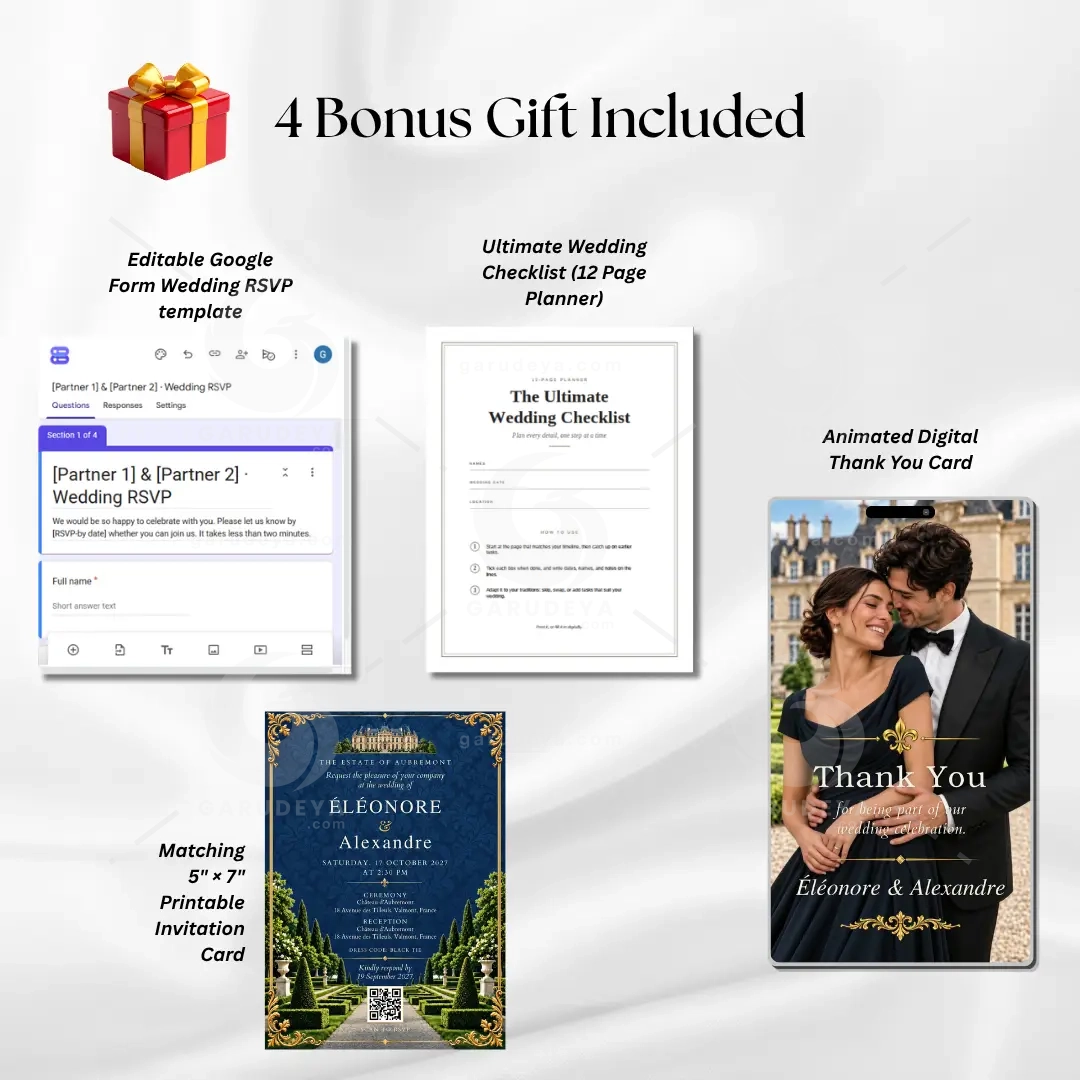
4 FREE WEDDING BONUSES
Your purchase also includes four useful wedding stationery and planning bonuses:
Wedding RSVP Template (Google Form)
A convenient editable form for collecting guest responses and keeping attendance information organized.
Ultimate Wedding Checklist (12 Pages)
A multi-page planning checklist to help you organize tasks, track preparations, and keep important details in view as your wedding day approaches.
Animated Digital Thank You Cards
Matching digital thank-you designs to help you share your appreciation with guests after the celebration.
Matching 5″ × 7″ Printable Invitation Card – Editable in Canva
A coordinated printable invitation design that complements your digital wedding invitation. Personalize the details in Canva and prepare it for printing.
ADD A QR CODE TO YOUR PRINTABLE INVITATION
Bring your printed and digital stationery together with a QR code on your matching 5″ × 7″ invitation card. Create a QR code and add it to the printable design, linking it directly to your full digital wedding invitation or RSVP tracker.
Guests can scan the code to view your invitation online, review the wedding information, and access your RSVP destination. It is a practical way to connect traditional printed stationery with convenient digital details while keeping your wedding presentation coordinated.
Before printing, replace any sample QR graphic with your own working code. Test it on multiple devices and make sure the printed code has enough clear space around it to scan reliably.
LICENSE & TERMS OF USE
Please read the following terms before purchasing:
✖ No refunds: This is a digital product. Due to the nature of instant digital access, purchases are non-refundable.
✖ No physical items shipped: Your purchase is delivered digitally.
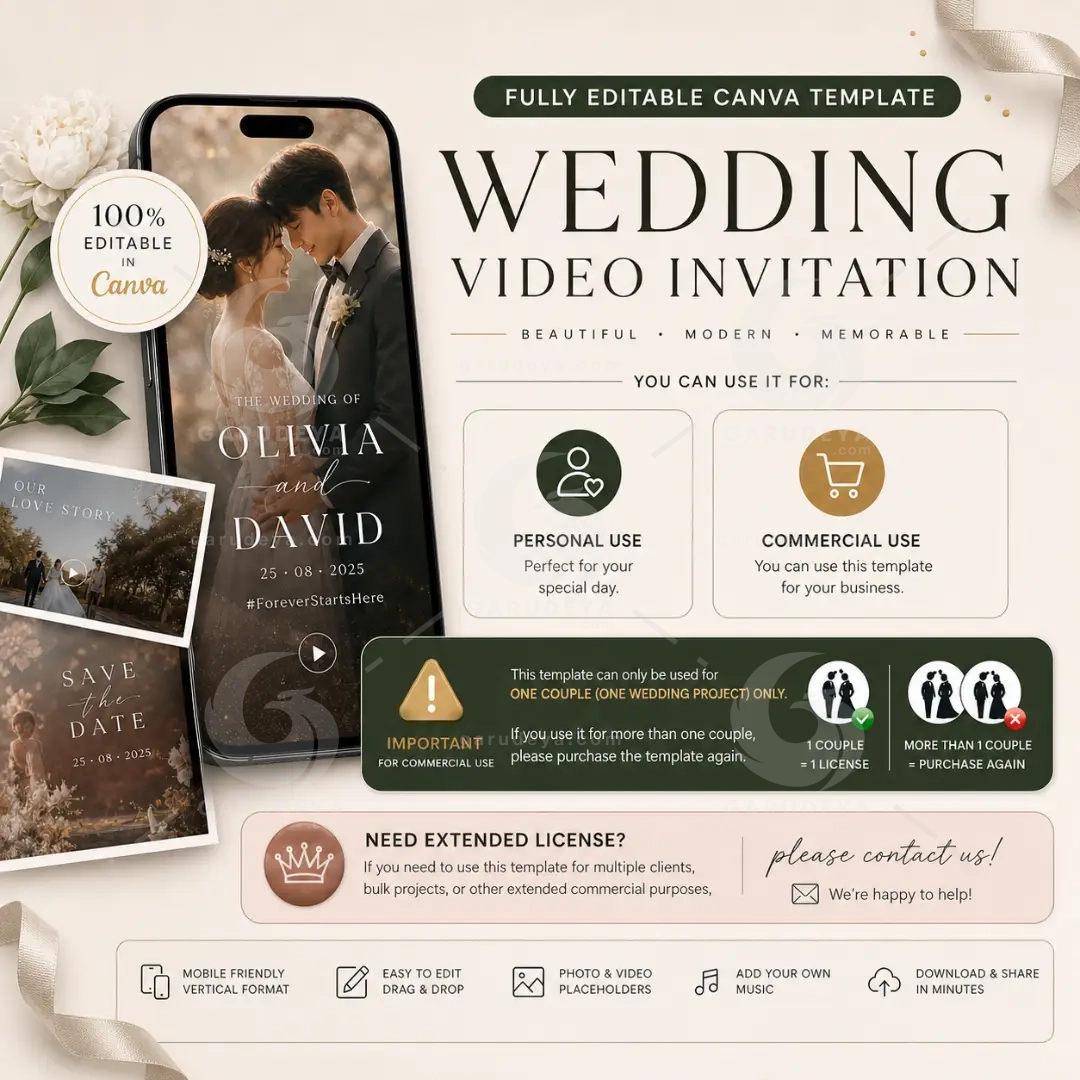
✔ Personal use: Yes. You may use the template for your own wedding or event.
✔ Commercial use: Allowed for ONE client per purchase. For example, a wedding planner or designer may prepare the invitation for one couple’s wedding.
More than one client? Please purchase an additional license for each additional client.
Extended license: Need broader usage rights? Contact us and we will be happy to help.
✘ Not allowed: Reselling, sharing, gifting, or distributing this template or its files, in their original or edited form, without our written permission.
Your purchase grants permission for the uses described above. It does not transfer ownership of the original template or its underlying design files.
Q&A
Q: Can I edit the envelope?
A: The envelope opening is a ready-made animation, so its color, paper, and seal cannot be changed. The seal uses a neutral emblem, so it suits any couple. All other pages are fully editable.
Q: Can I remove the envelope or use my own opening?
A: Yes. The envelope is a separate clip. Delete it or replace it with any page you like. You can also add, duplicate, or remove any other page.
Q: Will the envelope match my colors?
A: The envelope is designed to match this template’s color palette, and the rest of the invitation is built around it. Your photos, text colors, and fonts can be changed to suit your wedding.
Q: Does the envelope animation work on my phone and in my message app?
A: Yes. After editing, you download the invitation as one MP4 video, and the envelope is already included in it. Just send it by text, WhatsApp, email, or social media.
Q: Was AI used to make this template?
A: Yes. The images and the envelope animation were created with AI tools from our original prompts, then edited and assembled by us in Canva.
MAKE YOUR WEDDING ANNOUNCEMENT UNFORGETTABLE
Bring the elegance of a French château to your wedding announcement with a coordinated animated invitation, matching printable stationery, and practical RSVP tools. Personalize the details, download your MP4, and share your celebration with the people who matter most.
Add this editable Canva wedding invitation suite to your collection and start creating your own elegant wedding announcement today.
DISCLAIMER
• Digital product: this is an instant digital download. No physical item will be shipped.
• Requirements: you need a free Canva account to edit the template and a Google account to copy the RSVP form. Canva and Google are third-party services, and their features and interface may change over time.
• Samples: photos, names, dates, and mockups shown are examples only and are included for illustrative purposes. Replace them with your own.
• Colors and printing: colors may look different on each screen and printer. We recommend a test print before printing in bulk.
• AI disclosure: the images in this template were created with AI tools from our original prompts, then edited and assembled by us.
• Music: included music may be replaced with your own. If you add music, make sure you have the right to use it.
• Refunds: due to the nature of digital products, we do not offer refunds once the files are delivered.
• Results: final results depend on the content you add, your device, and the platforms you use to share your invitation.
User Reviews
0.0out of 5
★★★★★
0
★★★★★
0
★★★★★
0
★★★★★
0
★★★★★
0
Write a review
There are no reviews yet.
Be the first to review “French Wedding Video Invitation – Editable Château Canva Template, RSVP QR Code, Bonus Suite” Cancel reply



User Reviews
There are no reviews yet.